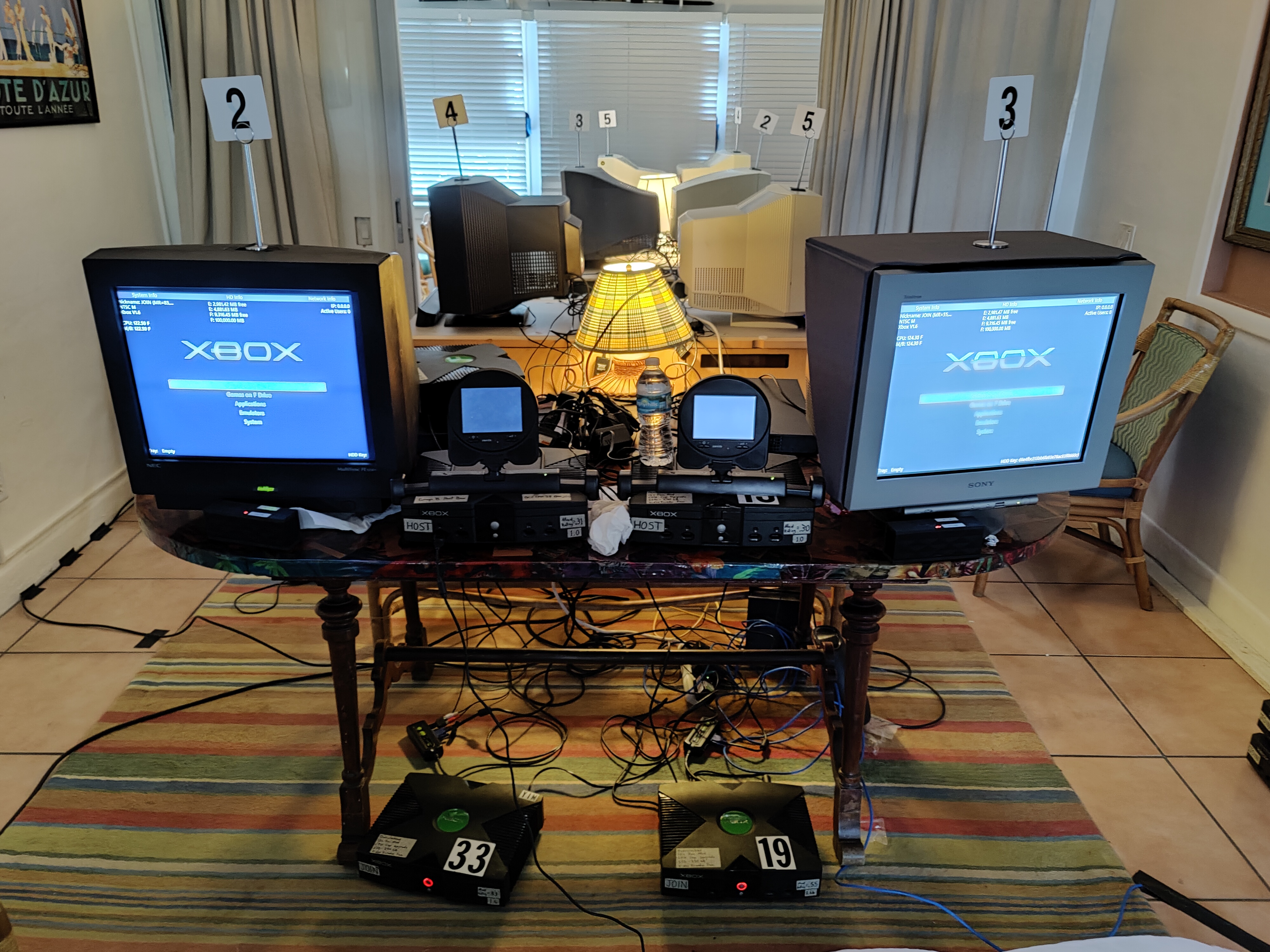
After capturing The Other Guys LAN I had to figure out how to best capture the side stations at Beach LAN. Last year I attempted the same thing but with limited success, and this year I wanted to improve.
I explain their setup in this previous blog post. This year, instead of relying on those Crestron Capture HD's to record gameplay (which they are not good at), I used them simply to convert VGA to HDMI while laglessly passing through VGA to the monitors.
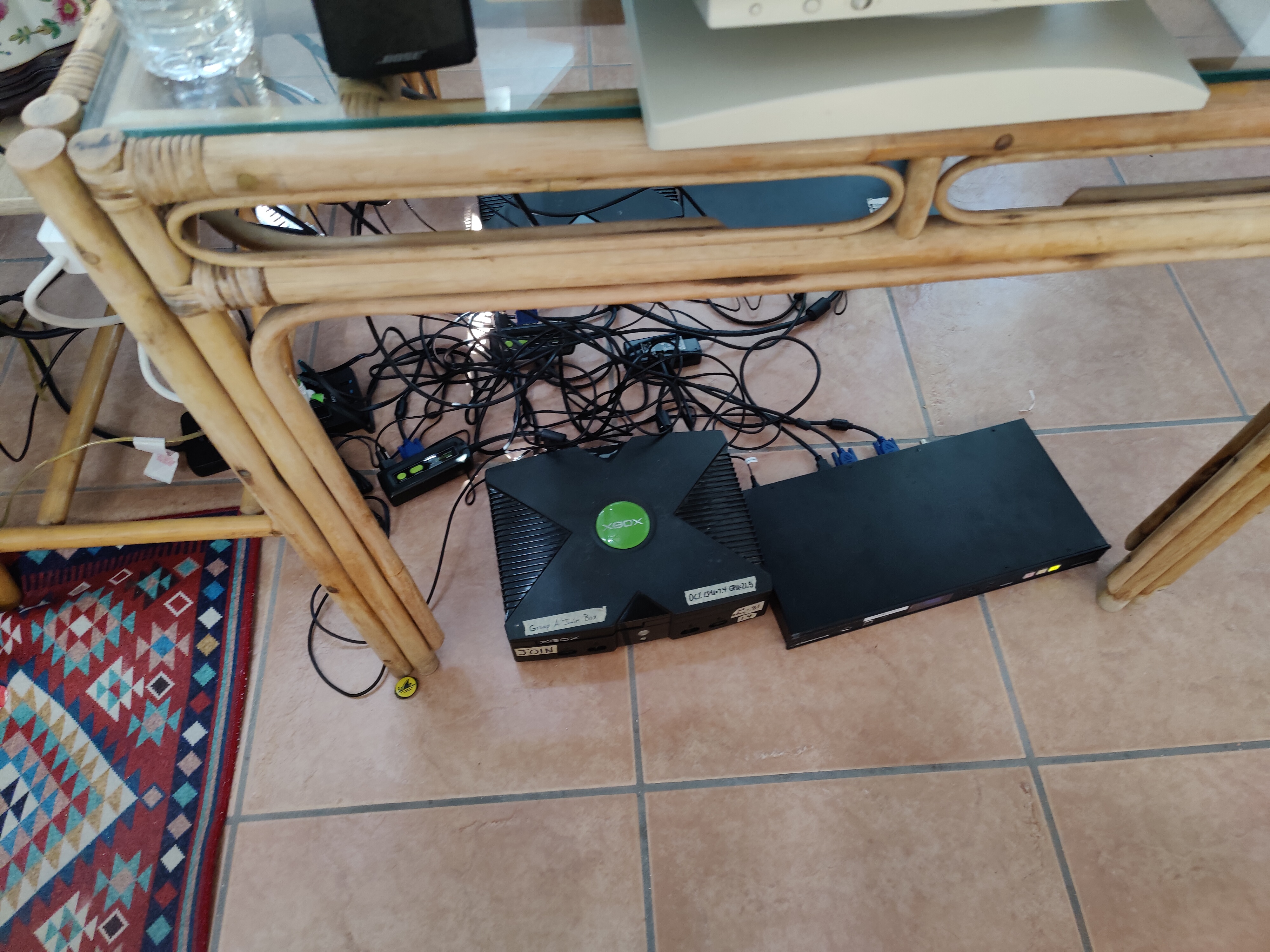
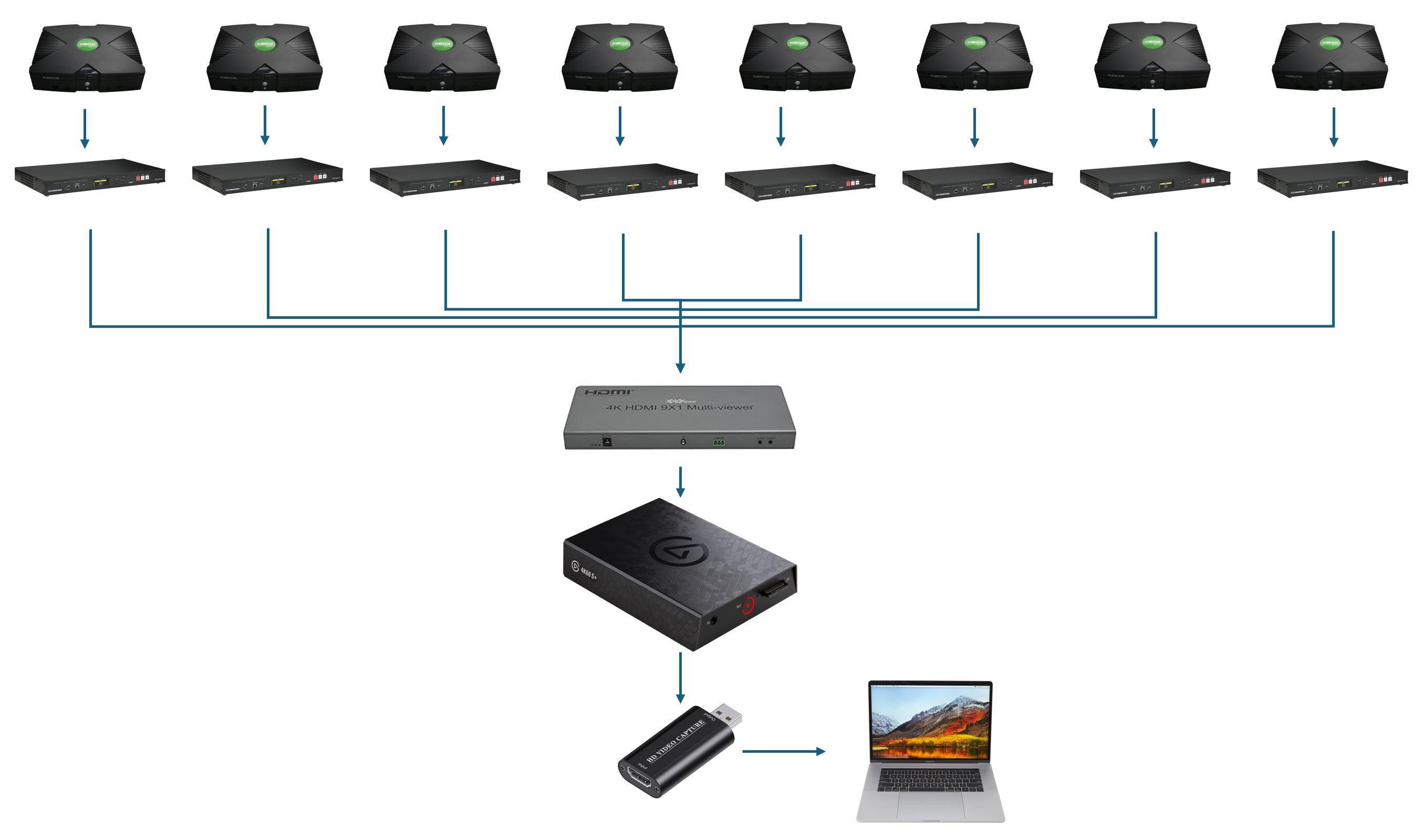
So for each station I've got an HDMI feed and what I figured was the best way to ensure every station gets recorded without issue was to combine all of the HDMI feeds into one single HDMI feed using this 9x1 HDMI Multi-viewer. I had been intrigued by these in the past, and a saved ebay search let me know when one popped up for $50 so I grabbed it.
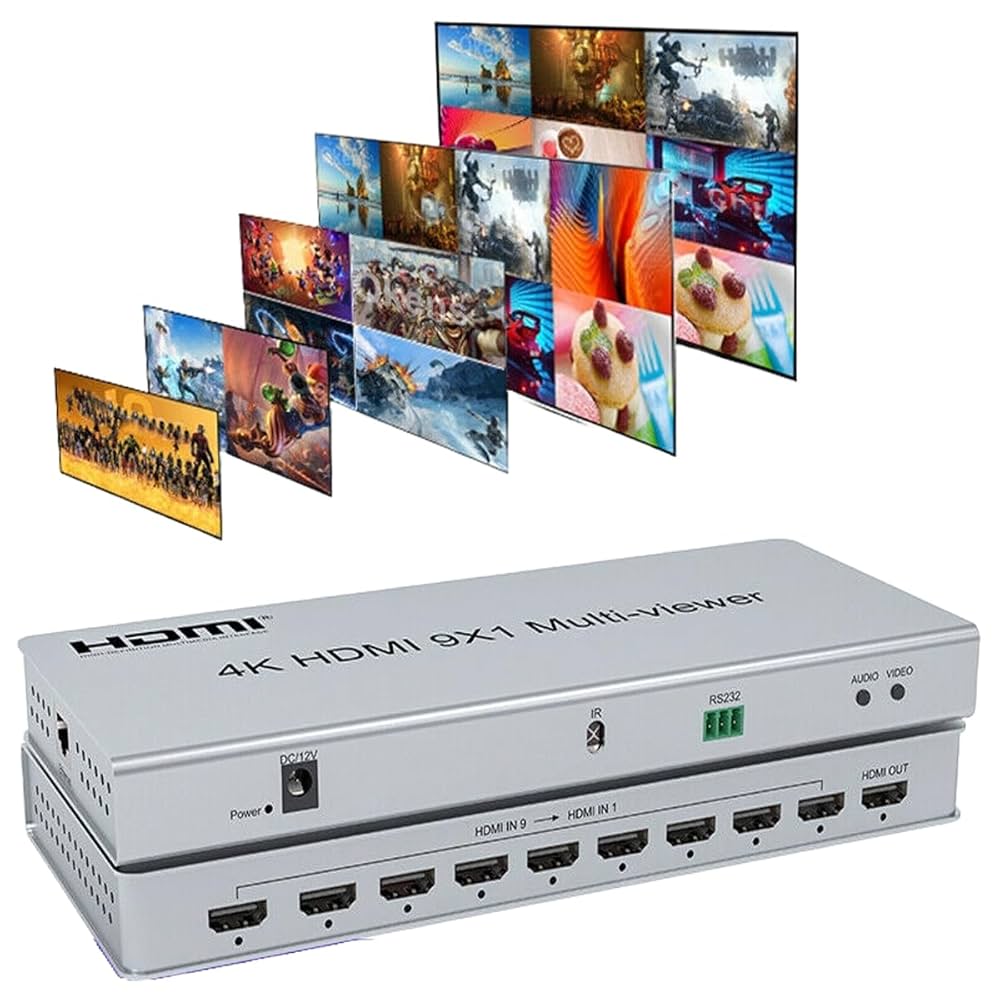
This specific model claims it can do 4K, which means it can it can fit 4 1080p images or 9 720p images within it. This meant for our setup our 480p feeds will be scaled up to 720p as we will use 9 of the 8 spots in a 3x3 title arrangement. In the preparation before the LAN though, I was going through testing and realized one problem: the output was set to 1080p. This meant that each POV would be scaled down to 360p instead of up to 720p. This was doable but I didn't like how that affected the video quality. I didn't have the remote, and there is only two buttons on the device which neither of them toggled the output resolution size. Worried the device wasn't capable of doing 4K, I desperately found a bin of random TV remotes and sure enough two had button codes that the multi-viewer responded to. The first one wouldn't toggle the output resolution but fortunately the other one did.
If I couldn't have figured that out, I would have considered using another setup where instead of all 8 HDMI feeds being muxed into one 4K HDMI feed, splitting them up into two quad feeds and using these cheap quad 1080p HDMI multiviewer capture cards I have.
But since it did work that meant we were in business. In order to facilitate recording the gameplay, I brought a standalone capture device called the Elgato 4K60 S+. This device can record true 2160p60 HDR content at whatever bitrate your SD card can handle, so it could handle 2160p30 just fine. I spent time tweaking the bitrate to find the right balance between maintaining quality and making sure I could feasibly record a week's worth of footage without running out of space.
The plan for recording ended up being to have multiple SD cards on hand with one being 256gb. The 256gb one was the primary one and while I transferred files off it in the morning, I put in another one that was only 128gb. 12-14 hours of recording resulted in files that were about 135gb. So all I had to really do was every 24 hours stop recording, swap out the SD card and have the spare one record in case people are playing while I transfer over the file to an external hard drive (which did happen), then put the main SD card back in and let it record until next morning.
So that ended up working really well, with only one catch. The device can't mux 9 audio feeds into one audio channel or even multiple audio tracks in the same video feed. So that meant only one station's audio could be heard at a time. So I selected Station 2 for that, and what I realized a day into my trip was the Crestron Capture HD's had multiple audio inputs that I could that use to combine both xboxes audio feeds into one, so that Station 2's gameplay video would have audio for both sides. With one of the buttons on the device, you can toggle between each input feeds' audio track, but I figure that would be hard to keep track of and would mean no audio recording would be just one station's audio the entire time.
So what did I do for the other stations? I brought these little usb DAC's that had microphone input on them, and my goal was to use the additional audio tracks OBS studio allows you to record to, to record the audio for the other stations. In theory this was doable but in execution it didn't fully work out. The USB DAC's were super cheap and meant for microphone levels, not stereo audio levels. So they sounded terrible. On top of that, I wasn't able to properly set up OBS so that it was recording clear audio to those tracks. For some reason, despite me configuring it seemingly correctly, the audio just wasn't coming through. I was able to debug this some with the livestream, as I could switch to stations 3, 4, and 5 and see if chat was complaining about lack of audio, but other than that there wasn't much I could do other than hope it worked. What ultimately ended up happening was I was able to get those audio feeds to play on the macbook's locak speaker outputs, and then use the macbook's microphone as the audio feed for the livestream. This was when I learned you can't have OBS tap into the desktop audio of a macbook the same way you can in windows for some reason. So ultimately we were able to get poor quality audio for stations 3, 4, and 5 when they were being shown on the livestream but that was it.
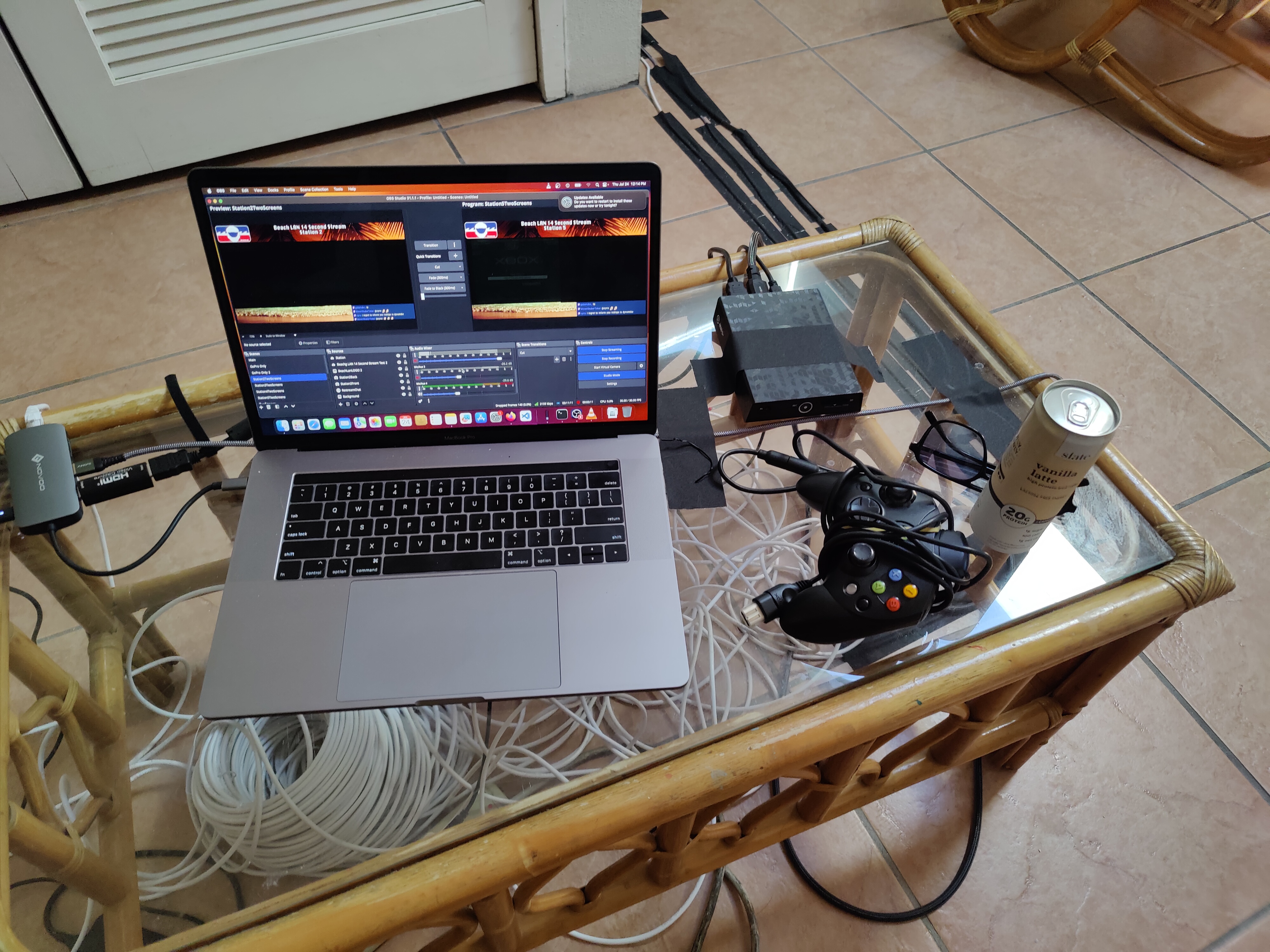
Speaking of the livestream, how did that work? The Elgato 4K60 S+ can do standlone recording while also outputting another HDMI feed. That HDMI feed was then captured by a generic USB UVC HDMI capture device. This gave me one HDMI feed with every POV in it, and all I had to do in OBS was crop this feed 8 times to give me the 8 POV's of every side station. Here's what that looked like.
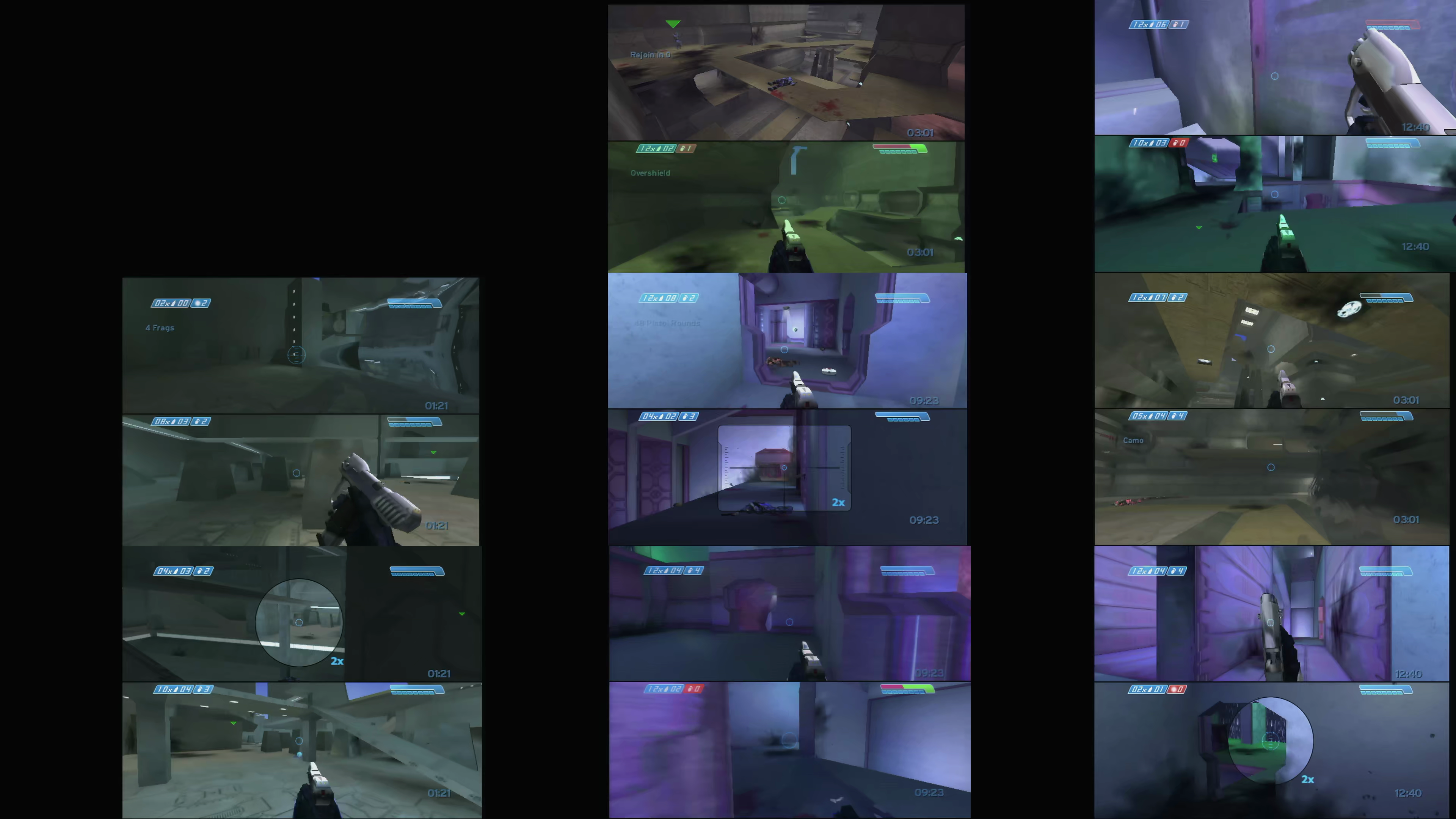
So yeah, the stream worked quite well and I didn't have to worry about things like, having 8 capture cards plugged into my macbook, mapping those cards to each station, making sure the image quality and color is consistent, etc. One weird quirk was despite setting up every Crestron Capture HD the same way, the position of the image was slightly inconsistent across all of them. In the above image, you can see the black pillars aren't exactly straight from top to bottom in between the middle column and right column.
So maintaining the stream was quite simple. Basically I just had to switch scene and audio sources whenever people stopped playing on a station so that there was always something to watch. One key component I realized after the trip was that I could totally capture the neutral host scoreboard by just tapping into that composite video feed, and plugging that into the Crestron Capture HD's. The crestron's are meant for lectures, so they natively support two video feeds with one being VGA/HDMI, and one being Composite/SDI. I didn't have the cables for this with this time, but I'll remember that for next year. So in that black bar space to the left of each station's feed I could show the neutral host box video feed.
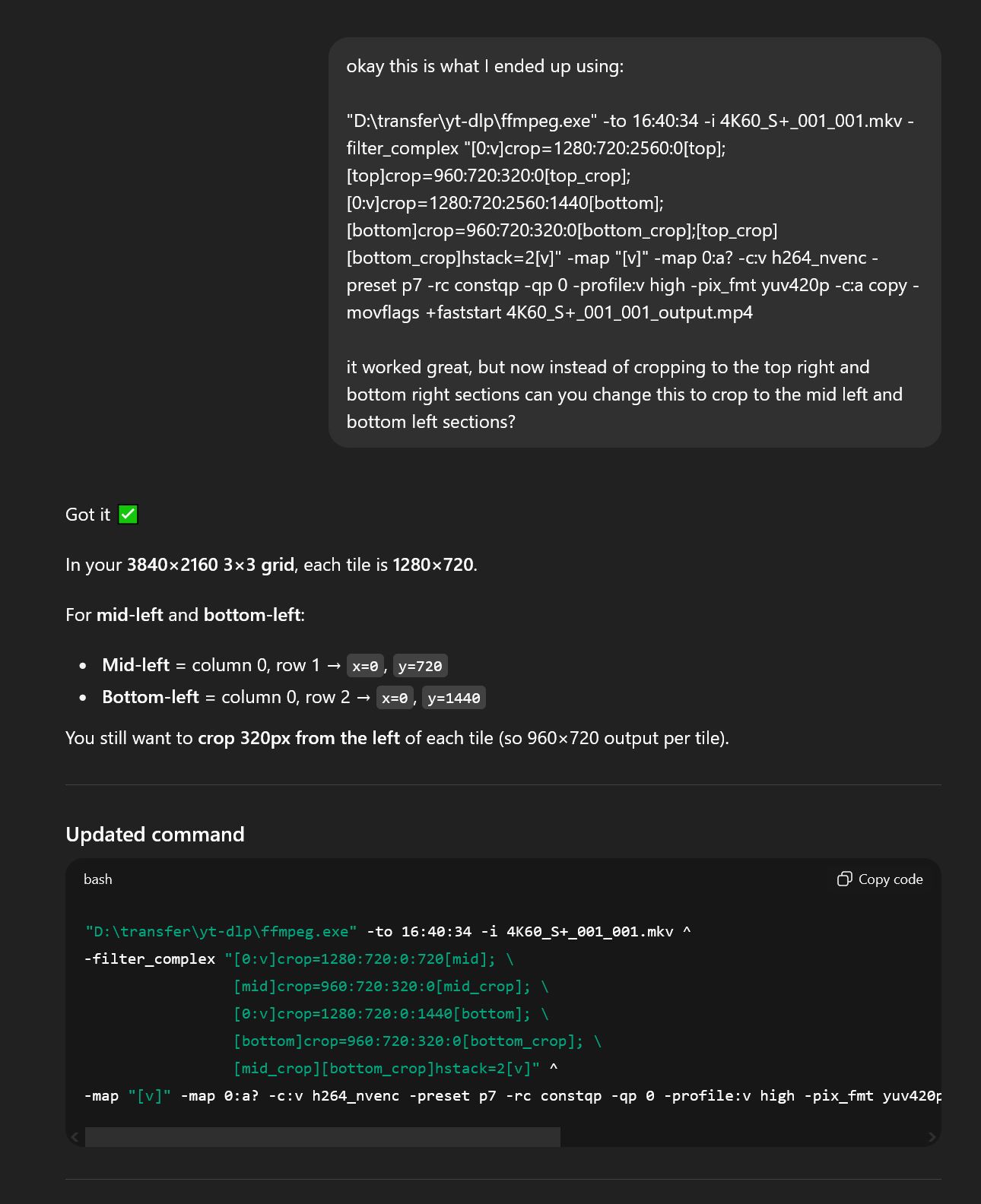
After I got home, the next step was cutting up the raw video feeds. My process was basically to ask chatgpt to give me an ffmpeg command that would crop the 3x3 4K video feed into two 4:3 sections (one for each side of a station), and then just place those side-by-side into one new 1920x720 video. While it took my computer time to process each video (I would just let it run overnight), this made very easy to import the video into DaVinci Resolve, add name overlays and make very polished gameplay videos to put up on my youtube channel. For the audio on Station 2, I could trivially just add the main audio track from the 3x3 4K video feeed. But for the other stations, this was when I realized the audio hadn't recorded correctly. Instead it was just a static hum. So what I did was I cut in audio from the livestream when it was available for a given side station. In the future, I think I am going to bring some sort of device like a Tascam that can bring all those extra audio channels into my computer for propery multi-track audio recording in OBS, or use some cheap generic security DVR that has 8 or more audio inputs and can do standalone audio recording reliably. Or maybe both so the livestream and the vod's have full audio.
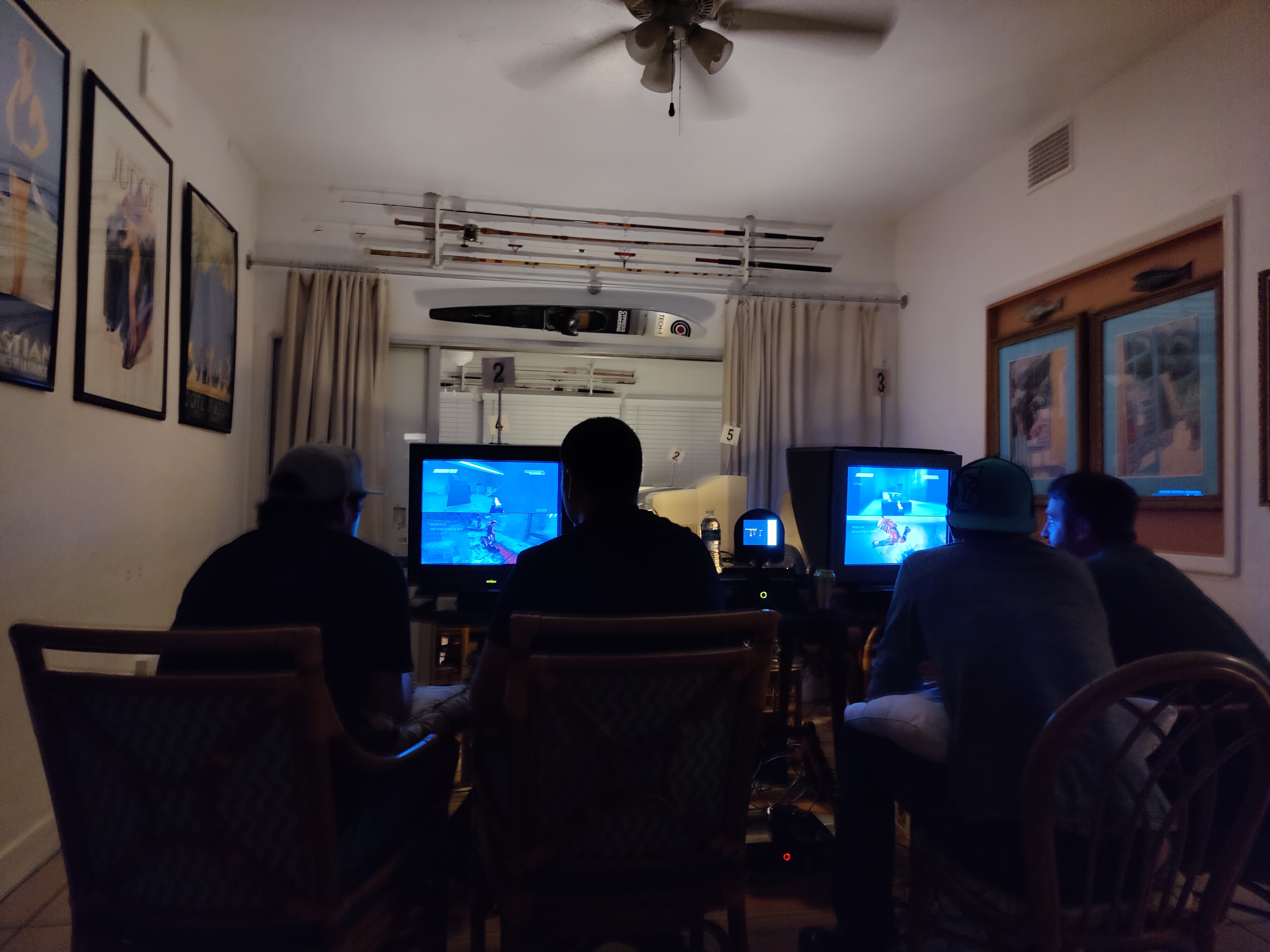
I think that's everything. There was a lot of test up front to make sure the setup I brought worked, and worked reliably enough that I didn't have to fuss with it while I was there. I didn't want to have to press record on 8 separate crestron's, then make sure they didn't decide to stop recording or crash on their own, like last year. That preparation ending up paying off quite well. For next year, my goals will be to ensure audio is at least recorded for every POV if not recorded and capable of being used on stream. Additionally, tapping into the neutral host POV's so that we can show the scoreboard on the livestream as that would be a nice touch. One stretch goal I think I'll have is bring an emulated neutral host to experiemnent with so can do cool things like record demos, and add more stream features.
Did I miss anything? Let me know in my Discord.