Plug and play VGA/Component capture over USB for $30
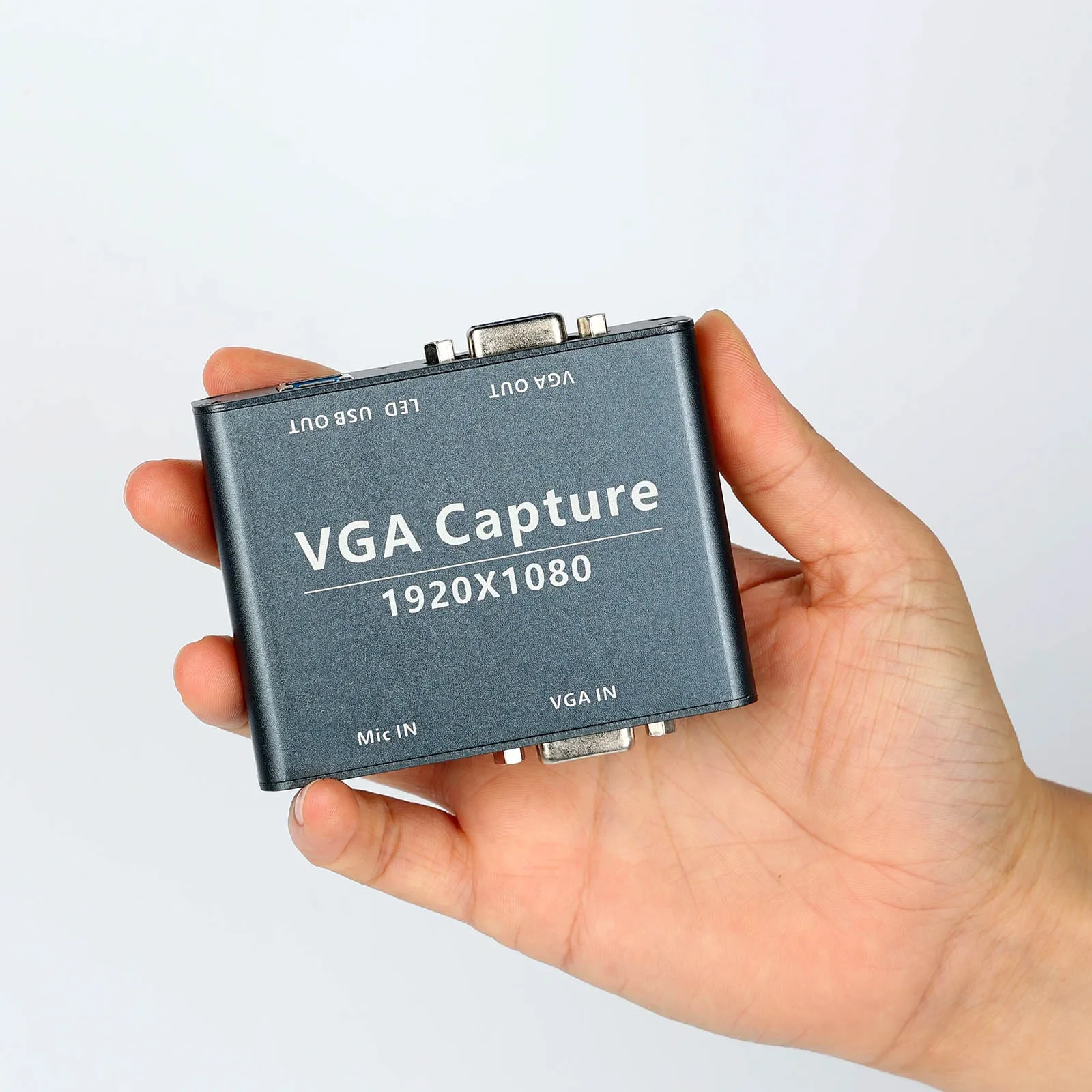
Capture cards have come a long way over the years and because of that, it's becoming increasingly harder to find good hardware to capture analog video sources. There were plenty of good options made back in the day, such as datapath cards, but support for them is slowly dying off.
So in comes along a brand new device, and one that utilizes UVC (USB Video device Class) which makes it plug and play on all operating systems that support it (Windows, Mac OS, Linux, and yeah even operating systems like Android. Yeah, you can capture for streams through your phone I plan on blogging about that later).
For about $30 (as of November 2023), you can get this generically named "VGA Capture" device off of aliexpress and not only is it plug-n-play capture, but it does pass-through (saving you $20+ on a splitter), audio input (3.5mm), and has one trick up it sleeve: with a passive converter it can handle YPbPr video aka component video.
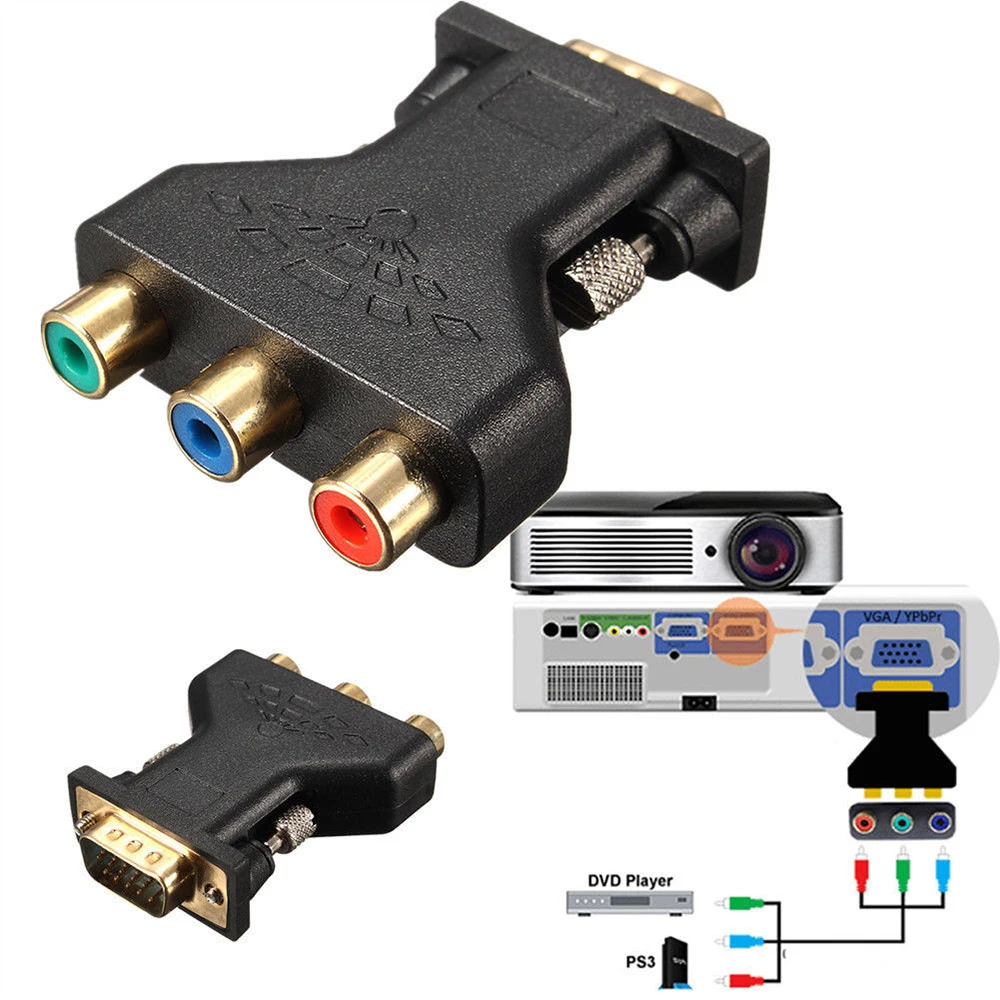
That's right. For another $3 you have the picture capture device for HDTV era consoles and for another $3 you can pass through that signal straight to your TV, and have basically a top-of-the-line capture setup for your Xbox, Wii, and other devices that top out at Component Output (unless you want to micro-solder on HDMI mods that cost a hundred bucks or so).
Use Cases:
- You want to LAN Halo on the original xbox with your friends, and want to stream twitch but don't really want to pay more than $50 for the capture stuff.
- You are running a Smash tournament, and need to stream main stage but don't want to break the bank and don't want it to get overly complicated.
- You just simply want to stream older consoles, don't have enough money to get them all HDMI modded, don't have enough money for an OSSC or Retrotink, and also don't want to throw a bunch of money at it yet because you aren't sure how much you'll commit to this.w
- You're into retro computing and need a way to get analog signals on your workbench but don't want to lug around CRTs with varying signal compatibility. I feel like this should work with a variety of odd RGBHV signals but I haven't tested this.
- You aren't very technically inclined, and just want something to "work."
There are numerous of use cases, but those are the biggest ones I can think of. Coming from the Halo community, lots of people get together and LAN locally, and want to stream but don't really know where to start and (surprisingly to me) aren't very technically inclined so they don't care about dealhunting for some good Datapath card or buying bulk Avermedia C027's at $5/ea because they're too rational for that.
Pros:
- It's plug-n-play on all Operating Systems (that support it, which is like all). There are dime a dozen for HDMI capture cards, but this is one of two I've seen for VGA/analog (and the other one appears to be an older revision of this one) and it will save you the $10-$15 it costs to get a VGA/Component to HDMI converter.
- It's cheap. Getting a PCIe capture card, and a splitter is going to cost you around $75-$100. You can dealhunt to bring that down but if you cheap out on a splitter it might add latency and if you cheap out on a capture device it might have shoddy support/drivers/software. A PCIe card also requires a computer. You can use this with your phone over OTG, and even stream it over your cell service.
- It's lagless. Did I bury the lede here? As far as I can tell, the video output through the passthrough has maybe 1ms lag. The way I tested this was to daisy chain two of these together, and step through the side-by-side captured video frame-by-frame. Since I didn't use a highspeed camera, and didn't use a CRT which more distinctly shows scan lines being drawn, maybe the test could be more accurately done but I just wanted to make sure this wasn't on the order of 8ms or greater lag. For those that truly care about this, they are going to split the signal before it reaches this device anyways, but this doesn't run the risk of making things unplayable by any means.
- It works with other analog signals. Like I said not only does it work with VGA, but it works with YPbPr out of the box. You can quite literally adapt your component cdables with the cheap $3 adapter imaged above and this works automatiaclly with that signal. Since that is the case, and you don't need to change a capture card setting in software, I am inclined to believe this also works with composite and s-video/y-c video sources as well. With further testing that could be confirmed, but I'd put it a like an 85% chance that is indeed the case
Cons:
- It is chinese no-name stuff from aliexpress. That means there's no real support for this device and while some specs and information are out there it isn't solid. That's probably hurting them as if they advertised YPbPr compatibility I bet these would sell more.
- There is no audio pass through.
Photos:
Naturally I went ahead a bought like 8 of these to get them cheaper, so I don't mind taking one apart incase it breaks or something.
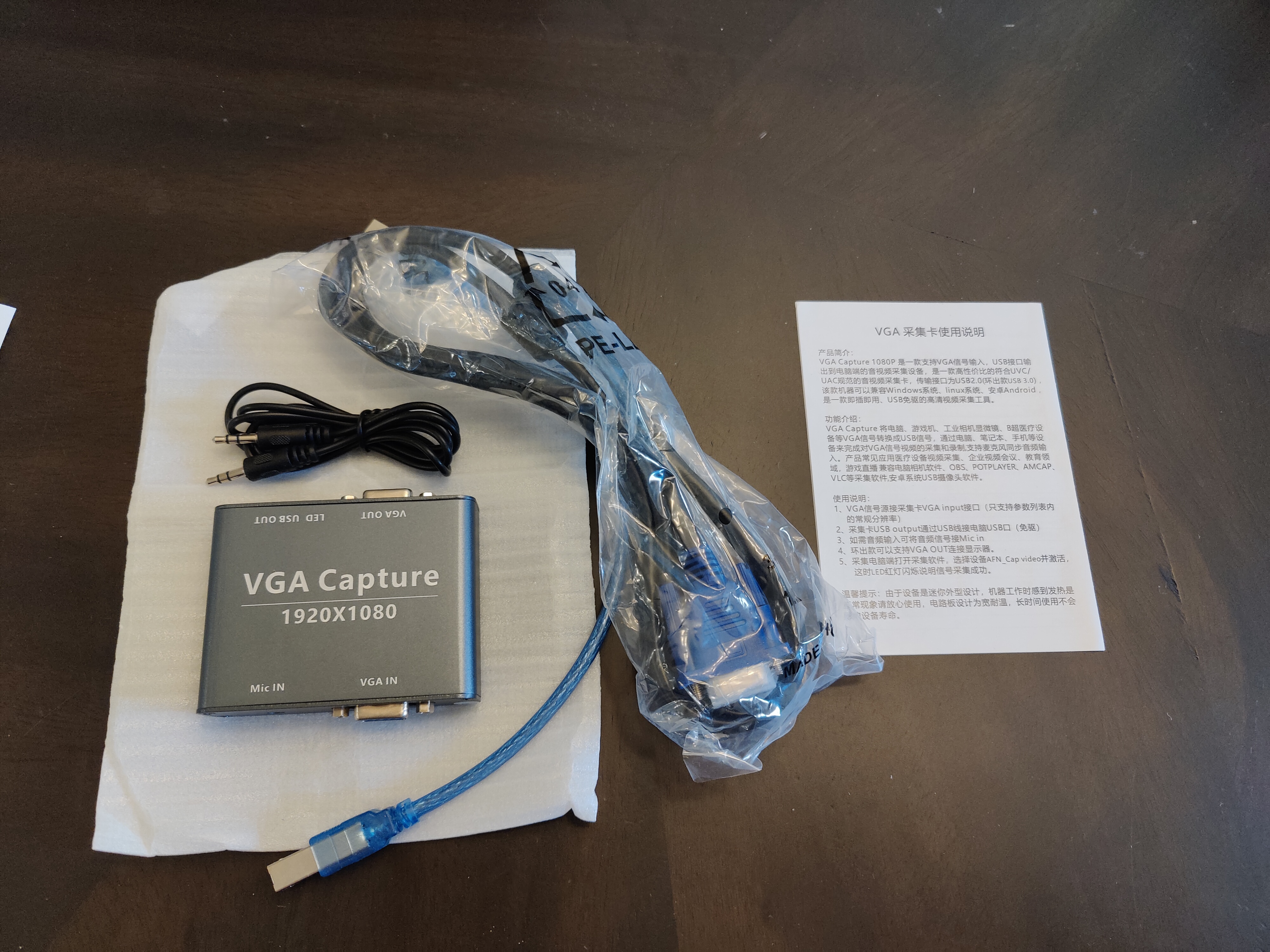
What I got was the capture device, USB cable, VGA cable, 3.5mm audio cable, and instructions
In the box you get everything you need to get started. The instructions are in both english and chinese. The main reason why I wanted to take this apart was to see what chip was at the center of everything and if there was anything else of note. At first I saw a chip on the top of the board that was covered by a heatsink put on with epoxy. I wasn't trying to delid an IC anytime soon and fortunately the primary chip is on the backside and is only covered by a thermal pad: the Macro Silicon MS2109.
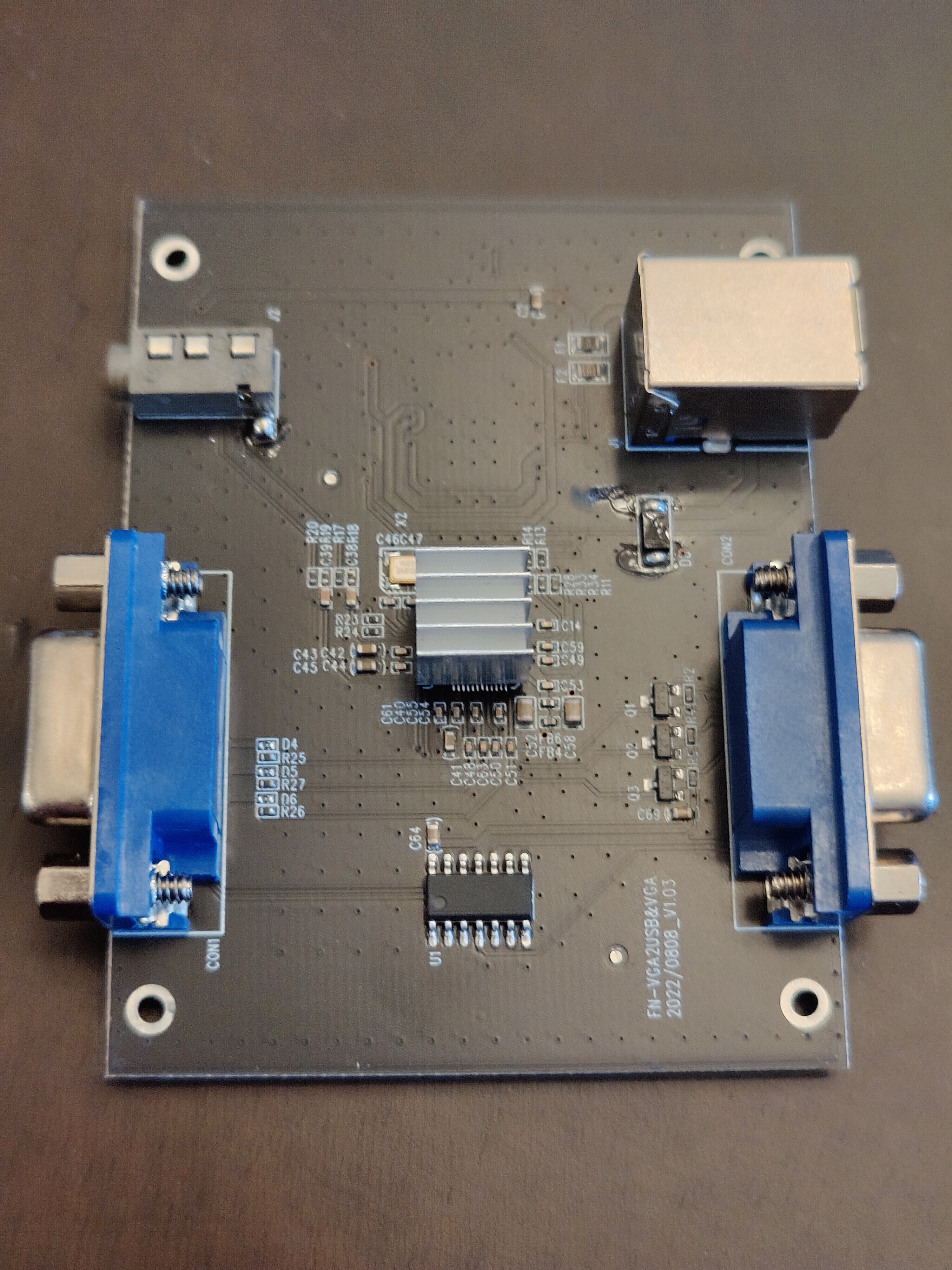
On the board you can see the label FN-VGA2USB&VGA 2022/08/08_V1.03
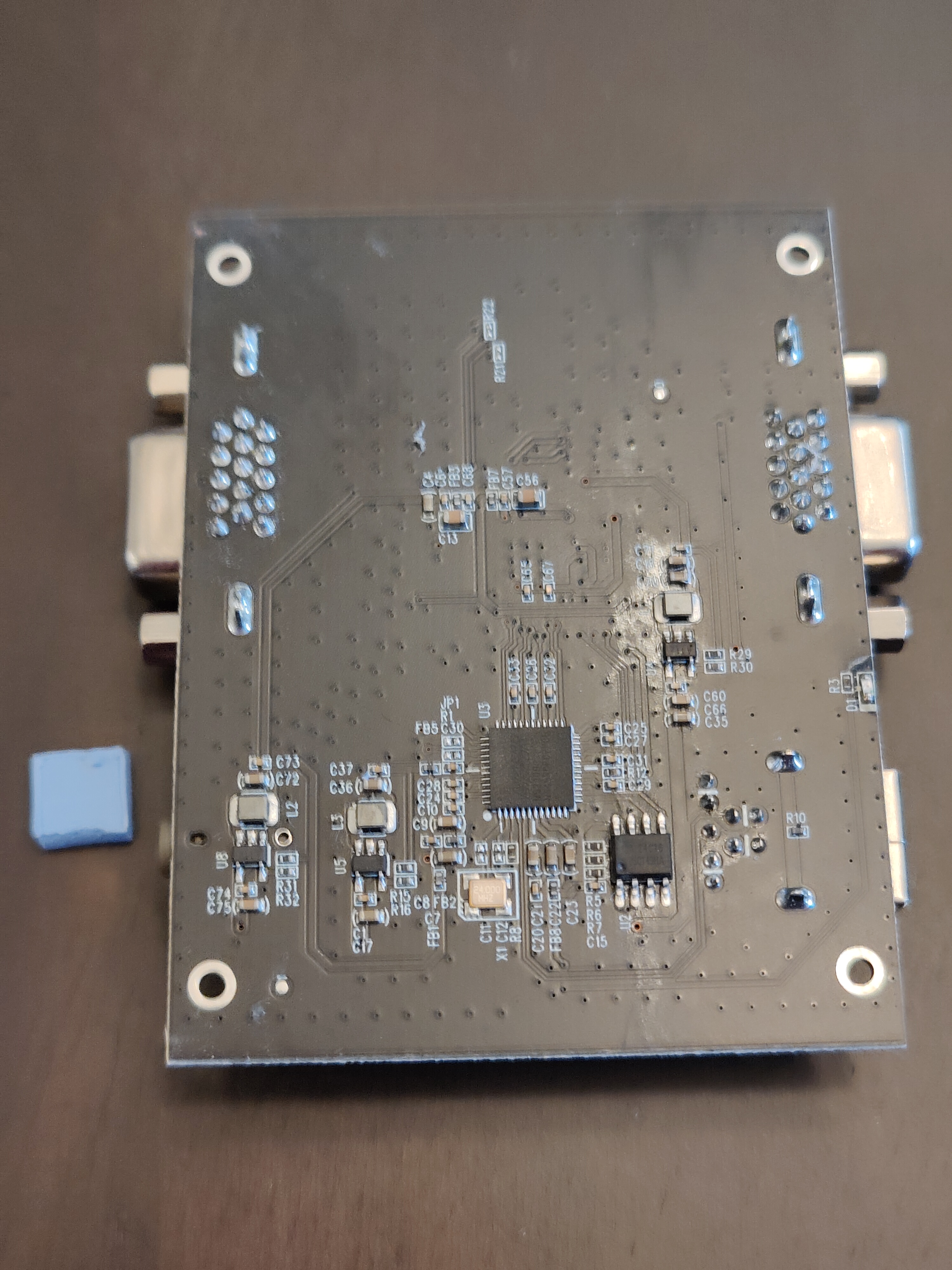
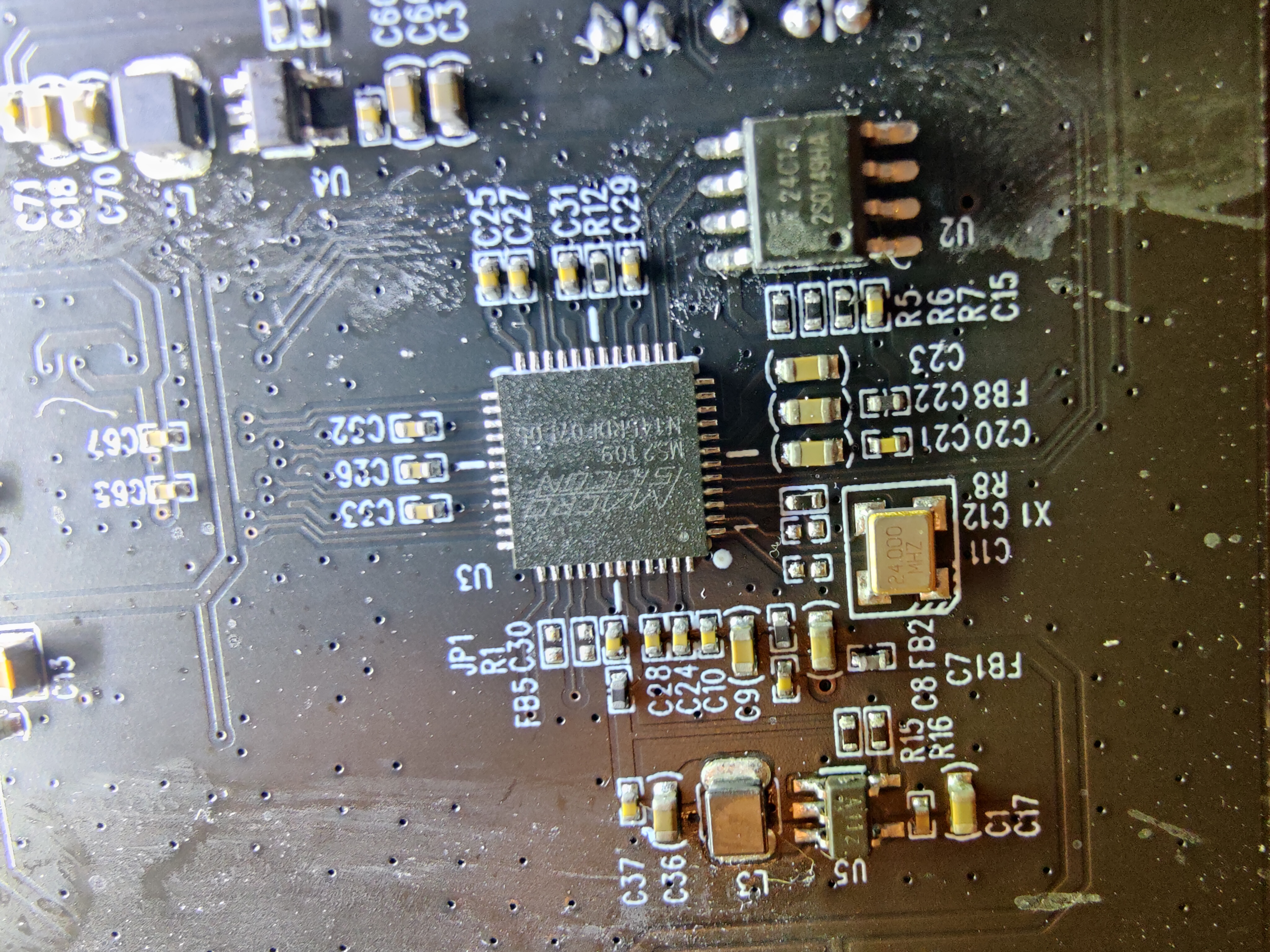
Seeing the MS2109 chip on there can give us even more information about compatability. The MS2109 has also gained a reputation for its appearance as a super cheap USB UVC HDMI capture devices, so searching the internet can yield numerous blog posts about it.
But as it states this takes an HDMI signal (up to 1.4b compatible) as input. That must mean the covered chip on the top is more than just signal distribution, but is likely what converts VGA/YPbPr/and presumably other analog formats to HDMI.
So that's all I've got for now. This is a really cheap and capable analog USB UVC capture device. If you have and comments, corrections, or questions feel free to message me on Discord or join my new channel.